



Previous
Previous Product Image

Alienware Aurora R16 Gaming Desktop PC – Intel Core i7-13700F 16-Core CPU, 64GB DDR5 RAM, 1TB NVMe SSD, NVIDIA GeForce RTX 4080 GPU, Liquid Cooling, RGB Case, Windows 11 Home

$519.00
Next

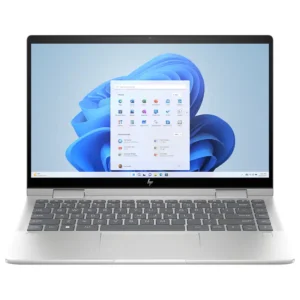
HP – Envy 2-in-1 14″ Full HD Touch-Screen Laptop – Intel Core 5 – 8GB Memory – 512GB SSD – Natural Silver

$649.00
Next Product Image

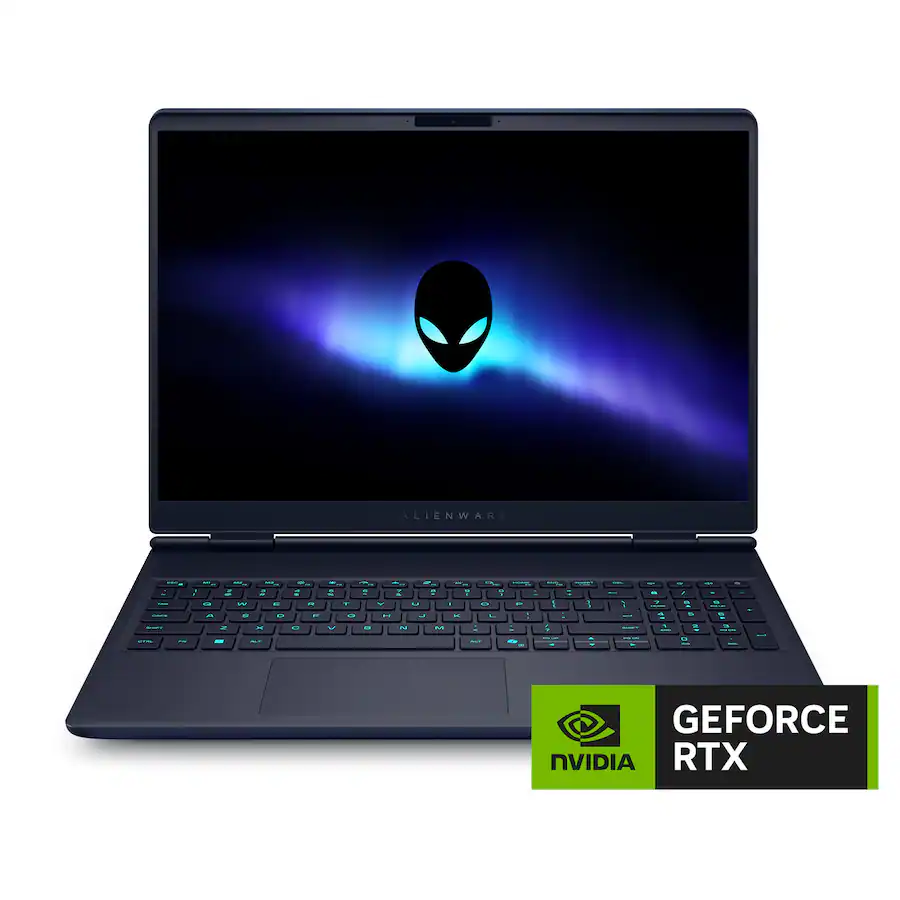
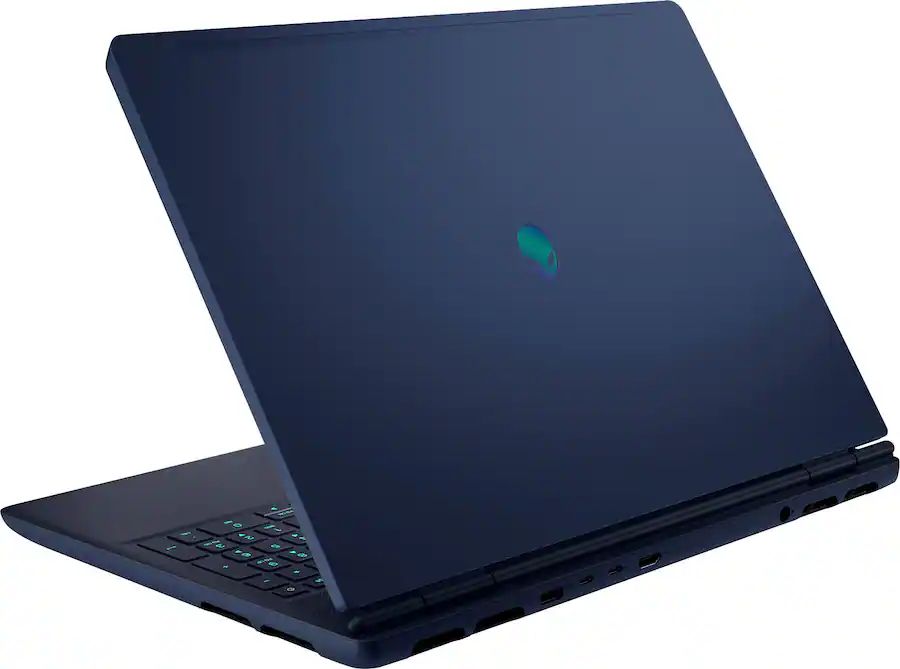
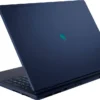
Alienware – 16X Aurora 16″ 2.5K Gaming Laptop – Intel Core Ultra 9 275HX 2025 – 32GB Memory – NVIDIA GeForce RTX 5060 – 1TB Storage – Interstellar Indigo

$2,150.00

(32 customer reviews)
Add to Wishlist
Add to Wishlist
Category:

Description

Windows AI
Copilot
Processor Model
Intel Core Ultra 9 Series 2
Graphics
NVIDIA GeForce RTX 5060
System Memory (RAM)
32 gigabytes
Display Type
LED
Screen Size
16 inches
Total Storage Capacity
1000 gigabytes
Screen Resolution
2560 x 1600
32 reviews for Alienware – 16X Aurora 16″ 2.5K Gaming Laptop – Intel Core Ultra 9 275HX 2025 – 32GB Memory – NVIDIA GeForce RTX 5060 – 1TB Storage – Interstellar Indigo

    ShaunOrlando
    March 1, 2026
    Out the box and logged into Windows in under 10 minutes. The look of this laptop is very clean and although it has some weight it isn't as heavy as my other gaming laptop from Dell that isn't an Alienware but part of their XLS line. Once I got it setup I did a quick WiFi6 speed test and the test was every bit of my 1 TB fiber optic connection. I quickly installed Steam and Epic Games then got logged into the XBOX app because I have the Game Pass Ultimate so I enjoy downloading some of the XBOX exclusives such as the Forza and Gears of War franchises. To test out the system I loaded up Bodycam which runs off the Unreal 5 engine and not only ran smooth but looked fantastic. I then loaded up Forza Horizon 5 and ran the benchmark to determine the optimal settings. It set them on extreme and it was a steady 40 FPS but had no lag or noticeable tearing at those settings. I also loaded Fortnite although I don't enjoy it my kids love to play it and with the settings tweaked and visuals cranked up it was steadily maintaining 200 FPS. I also loaded up the RTX version of Quake 2 with ray trading and the game looked phenomenal. This laptop loads every app and game I have wanted to play and installed apps with lightening quickness. The audio also was impressive for a laptop, probably the best I have heard with my daughter Predator gaming laptop coming the closest to this one. Pros - Lightening quick and apps/games load super quick - Runs everything I have thrown at it and all the games look amazing - Some of the best speakers I have experienced on a laptop - Great screen with spectacular colors and refresh rate Cons - Lack of USB ports and will need to have a hub if you have more than 2 or 3 USB devices - As with all gaming laptops the batteries aren't designed for all day performed but it does charge quickly Overall this laptop has run every game I have thrown at it and the Internet speeds are blazing fast if you gave the ISP to take advantage of it. This laptop is packed with the latest tech and hardware to give any real gamer the edge.
    Cupra
    March 1, 2026
    This Alienware Aurora 16" Gaming Laptop is a huge step-up from my son's previous gaming laptop. He needed a more powerful set up simply due to the games that he's been playing requiring more processing power. He now has that in his hands with this new laptop, and the constant complaints about 'lagging, dropping games, rubber-banging etc.', or 'do we still even have internet service?' have stopped being fired my way! Right out of the gate, the Alienware experience is nice as you unbox it. It's refreshing that it is also not just a simply black, grey or silver laptop, but has a nice blue finish to it. First thing we did was charge it up and then went through the set-up process. I have all of my accounts linked, so set-up was pretty uneventful. One it was updated, we were good to load up his Discord and Steam apps. That went smoothly, then we went through and updated the necessary drivers a well. Now with the power of the NVIDIA GeForce RTX 5060 graphics card, Call of Duty is running without any issues at all. Previously, it would lose connection, it would rubber band, it would freeze, the screen would go black etc, none of this is happening now, the computer far exceeds the minimum requirements for the game, and in fact exceeds the higher end 'optimum' specs for the game, so it's totally changed the gaming experience for my son. He's no longer frustrated, and thoroughly enjoying the games. With a 2560x1600 resolution 16" LED screen, the visuals are looking great as well. However, during a session of Warzone, he had to dial back the graphic card resolution to stop an issue he had with rubber banding, but since then, he's had no issues at all. The Intel Core 7 Series 2 processor is up for the task, but one thing we've noticed is that the fans run almost all the time when he is playing games. Almost constantly. There is a raised 'grill interface' on the bottom of the laptop that allows for a lot of airflow around the laptop, so it was surprising that the fans seem to run so much of the time. The laptop has a 32GB RAM and a 1TB SSD which is a good amount of storage to have on board, but I am sure it will get eaten up pretty quickly as his game library expands. And while the graphics look good, this laptop is NOT a touchscreen. This laptop, while it's primary function is for gaming, and you probably won't want to lug it around with you everywhere - the 16" screen size and the processing power and fans means that this laptop is quite heavy, it does function as a regular laptop, and during set up you can sign up for a variety of Microsoft products, and it also has CoPilot built in as well. My son is using this only for gaming, and so far he's been incredibly happy with the performance, and power of this machine. We've never had an Alienware machine before, and so far we are incredibly impressed. The keyboard is backlit as well which is really handy when gaming in a dark room. Overall, completely satisfied with this laptop, it's totally changed my son's gaming experience, to be fair his last laptop wasn't 'bad' but this one really is a huge step up for him!
    MinCho
    March 1, 2026
    The Alienware 16X Aurora is a powerful choice for scRNA-seq analysis. The Intel Core Ultra 9 275HX delivers excellent performance for computational biology tools like Seurat, Scanpy, and Cell Ranger, handling multi-threaded operations smoothly. The 32GB RAM adequately supports most standard single-cell datasets up to 30k cells, while the 1TB SSD provides fast data access and ample storage for multiple projects. I added the RAM up to 128GB so I can run the most LLM training for 7b. The RTX 5060 GPU is a bonus for deep learning applications like scVI and celltyping models. Superior build quality, efficient cooling, and portability make it ideal for researchers needing mobility between lab, office, and conferences. The stunning 2.5K display enhances data visualization. While premium-priced, I have achieved getting multi tasks versatile machine that handles both intensive computational work and presentations beautifully—plus gaming for downtime!
    BradfordBT
    March 1, 2026
    I wanted to throw a Halo Lan party but needed one more computer, so I decided I’d grab a gaming laptop that would be an upgrade to my aging Alienware m16 R1. I saw that Alienware had the 16X Aurora on sale, so I grabbed one to get ready for some FPS fun! Pros: - Good CPU, GPU, and RAM size for entry level gaming. - Bright LED Screen with high Refresh Rate! - Sleek & Modern Design. Cons: - Runs hot, hits thermal limits easily underload. Works best with cooling pad. Out-of-the-Box: Included in the box is the laptop, wrapped in a nice paper cloth, and 180-Watt laptop charger. One change I liked was the standard slim charger being included with the gaming laptop instead of the giant brick of prior models. It’s a lot easier to fit the laptop and charger in a bag with the smaller charger. Alienware doesn’t change much about the standard windows setup for the 16X Aurora, including only branded logo here and there. I had no issues during initial setup. Specs & Considerations: The Alienware 16X Aurora is build with a 16in LED display with a resolution of 2560x1600 and a high frame rate of 240Hz. The big plus with this screen is the brightness of 500 nits, whereas normally a laptop screen is between 350-400 for LED displays. This is perfect for playing a Shooter game like Halo or Fortnite. With the paired RTX 5060 8GB dedicated GPU, you should be able to take advantage of the screens full 240Hz refresh rate when running games at low to medium settings or adjusting the Resolution down. This is a good entry level configuration, though if you want to take full advantage and push the 16X Aurora to the limit, you might want to consider picking up the RTX 5070 model, but a much higher price tag. The 16X Aurora includes an Intel Core Ultra 9 275HX CPU, a 24 core CPU with 8 Performance and 16 Efficiency cores. The big thing to look at here is the Processor Base Power of 55 W, with a Max Turbo Power of 160W!! That’s crazy amounts of power for a laptop CPU to have, which also means a ton of extra heat. Luckily, I’ve got a powerful laptop cooler I can use with it, but if you don’t have one you might want to consider it or at least prop up the back to provide a little more airflow. I’m happy to see the 16X Aurora come with 32GB of DDR5 RAM, though I would have liked to see RAM Speeds of 6000-6400 MT/s being used. At least the RAM can be upgraded post purchase to a larger size such as 64GB. Additionally, there are 2 M.2 drive slots, with only 1 being populated in this model. The owner’s manual state up to 2TB’s, but I’d suspect 4TB & 8TB drives should work just fine. The big benefit here is each slot is PCIe Gen 4, with up to 64 Gbps! Case: I like what Alienware has done with the case design of the Aurora laptops, the new Sleek and Modern simple brushed aluminum back of the display and hard plastic elsewhere look gives off a subtle gamer vibe but could pass for a professional laptop. Overall build is sturdy, the screen hinges are solid and only wabble a little. This is a gaming laptop, with a weight of 5.86lbs it is heavy buy on the lighter side compared to other 16in models. The case also measures in a little smaller at 0.92in in height, ~14in wide, and ~10.5in deep. Connectivity: The 16X Aurora has ports on the Left and Back side of the laptop. On the Left side there is Combo 3.5mm Jack, USB-A 3.2 Gen 1, and Compact Ethernet port. One the Back side are the Power, HDMI 2.1, USB-C Thunderbolt 4 with DisplayPort 2.1, USB-C 3.2 Gen 2 with Power Delivery, and another USB-A 3.2 Gen 1. Port wise, this is plenty but would have been nice to have a DisplayPort or another USB-A port. Wireless connectivity is support with the new WiFi 7 standard and Bluetooth 5.4 on a wireless card that is replaceable. Having a replaceable wireless card is a huge plus for future upgrades and potential repairs. Look & Feel: I mentioned it before, but the Sleek and Modern look of the 16X Aurora is an appreciated change in design that looks more polished and professional than older gaming models. I wish the brushed aluminum was used throughout the case, as it just gives a little more premium feel and works better for cooling the laptop, but I can understand that would increase the price as well. The plastic parts do feel good, and don’t retain fingerprints or smudges as much as the brushed aluminum. The additional screen brightness is a huge plus, making colors look more vibrant and helping see detail even in bright or direct sunlight. The only better panels I’ve seen are OLED or Mini-LED, which usually come with a steep increase in price. The 240Hz frame rate helped keep games and videos running smoothly, I was able to keep a 200+ framerate on Fortnite with low to med settings and Nvidia DLSS on, I didn’t notice any major negative impacts like latency or artificing. Again, depending on your preference, if you want to use Ray Tracing or other demanding features, I’d suggest getting the RTX 5070 model, but if you just need light gaming or coming from a console, the RTX 5060 is plenty for most games. The keyboard feels very solid and comfortable to type on, one of the little things I look forward to on gaming laptops. The keys are slightly tactile but quiet, perfect for gaming on the go. I was not a huge fan of the trackpad, but that is mostly due to preferring a mouse over the trackpad. If you’re going to be gaming, I’d assume you’d attach a mouse or gamepad instead of using the trackpad. Performance: Overall, I found the performance was good for entry level gaming, mainly 1080 with Medium to High or 2K with Low to Med settings without Ray Tracing on. If you enable Ray Tracing, you will have to drop down the other settings to achieve 60FPS or rely heavily on DLSS to stay above 60FPS. For most common titles, this shouldn’t be an issue, but for newer games or unoptimized ones, you might be better off disabling Ray Tracing. Having 32GB of RAM really helps make this configuration work, providing enough RAM to game while having the background tasks running like a web browser, music, or discord. For games that heavily rely on the CPU, you should have plenty of power with the Intel Core Ultra 9 275HX, but you might run into overheating issues quickly. I found I could easily hit the thermal limits playing games or running CPU intensive tasks. But this was easy to solve with an external cooling pad, even just adding a little more height to the back of the laptop to increase airflow under the laptop made a huge difference. If you’re planning to use this for long gaming sessions, I would highly recommend investing in a good cooling pad, even one specifically for gaming laptops to get the most out of the laptop. Conclusion: If you’re looking for a good entry level gaming or content creator laptop, the Alienware 16X Aurora is a solid consideration with the only downside being the overheating concern due to insanely powerful Intel Core Ultra 9 275HX within. But that can easily be solved with a laptop cooling pad or a little elevation off the surface. If you’re just coming over to PC Gaming or mostly play games that are 5 years or older, this is a perfectly capable gaming laptop with enough power and future upgrades to keep you gaming for years to come! I’ll be replacing my older Alienware m16 with this 16X Aurora!
    Alex
    March 1, 2026
    Super fast laptop. Starts up and loads programs and games almost instantly. I have had no issues at all with it. It does get a little hot but that is expected considering this laptop's specs and small size. Battery life has been good but I normally keep it plugged in. It definitely needs to be plugged in for gaming. My FPS drops from 130 to 60 the instant I unplug it. FPS goes back up as soon as it is plugged back in. Display is crystal clear as well.
    Saitzev
    March 1, 2026
    The Alienware Aurora 16X with the Intel Core 9 Ultra paired with the Nvidia GeForce RTX 5060 is the perfect balance between gaming laptop, and productivity powerhouse. I love the giant screen that is so beautiful to look at with the 240hz refresh rate, this makes for an easy day of spreadsheets and an even easier night of gaming! I have enjoyed many hours of gaming on this laptop and I have to say that it definitely delivers! I have had no issue running any mainstream modern games, and they have all ran flawlessly! I have also really enjoyed using this laptop in bed to watch movies, where it continues to shine! The battery life is amazing for this machines level of performance, and I will definitely be taking this laptop with me on vacations and business trips. If you are looking for a desktop replacement, I would highly recommend this device as well, the USB C port on the rear of the device offers a rock solid connection to a compatible USB C dock, which I currently use. This allows me to plug this into my desk setup and have all of my monitors and peripherals connected instantly, which just adds even more to the allure of this device!
    buckbabes
    March 1, 2026
    For the last week, I've been testing the Alienware Aurora 16X gaming laptop. Overall, this is a fantastic upper mid-range gaming rig that easily shreds through most common games with zero issues. The version I am testing comes with the Intel Core Ultra 9 275HX, 32GB of RAM, a 1 TB SSD, and the NVIDIA GeForce RTX 5060 GPU. All in all, these are impressive specs, especially when compared to the previous generation of gaming rigs. The fact that this laptop now features an NPU for AI tasks and the 5060 GPU, which outperforms the 4070 GPUs, makes upgrading to this laptop an easy decision. Using the Aurora 16X for gaming, I was thoroughly impressed. Playing titles like Madden 2025, Immortals of Aveum, and Marvel Vs Capcom, I experienced flawless, stutter-free gameplay and very quick loading times. Another nice surprise is that it also performed just as well when it was only using battery power. The large 16-inch, 240 Hz monitor provided an excellent, solid picture and flawlessly reproduced colors. Text looked crisp, contrast was top-notch, and brightness was fantastic. The port selection is good. I appreciate that most ports are placed out of the way on the back of the laptop, while still leaving a USB port on the side for attaching a controller or mouse. The keyboard is well-spaced and feels nice to type on. I also like that it has a numpad and customizable backlighting in the Alienware Command Center. The trackpad works well, although it feels like plastic instead of glass. The wireless card did an excellent job of quickly connecting to the internet and maintaining solid Wi-Fi and Bluetooth connections. The big thing to consider when buying this laptop is probably its size and weight. It is large, thick, and heavy. If you plan on carrying it around infrequently, then you'll probably be fine. However, if you are traveling with this daily, you will likely start wishing you had chosen a smaller model. With that said, I think this is a great powerhouse of a gaming machine and would definitely recommend purchasing it.
    James
    March 1, 2026
    Alienware’s new 16x Aurora gamin laptop line has many options to suite an array of budgets. From Core Ultra 7 processors to Core Ultra 9 and a few choices of GPUs in the RTX 50 series, games can find what works within a budget. Performance The 16X Aurora replaced a laptop that had a Core i7 CPU and an RTX 4060 GPU. This change to the 16X feels like it’s more than a single gen upgrade. The CPU is much faster than what I had and the RTX 5060 handles higher frame rates with ease in games such as Battlefield 2042 and Call Of Duty. The 5060 GPU is able to drive my 49” 5120 x 1440 monitor in those games at high frame rates without it getting laggy. My strategy and driving simulation games work well with it. The HDMI 2.1 port, which is what is connected to my 49” monitor, is driven by the 5060. There isn’t any kind of odd switching I have to do to make sure the integrated GPU isn’t trying to run a game. The laptop display running at 240Hz is amazing. Everything is so smooth. It also helps that it is a 16” display. The increase in size over my previous gaming laptop’s 15” display is noticeably better. It’s more screen real estate without the laptop becoming too cumbersome. A larger screen with the same portability as a 15” laptop and without it weighing a ton. This is definitely worth the upgrade to the 16X for me. It was good that Alienware added in a Thunderbolt 4 port that supports Display Port 2.1 Software The 16X comes with the Alienware Control Center software which allows me to set various settings. The LED keyboard light setting is set in the Control Center. There I can choose a to create multiple presets on a per game basis or set it to always show the LED setting regardless of what game I’m playing. There are also profiles for games which allow a per game profile or I can set it to use whatever power setting I have set for all games. The Control Center is also where I can monitor CPU and GPU fan speeds and temperatures. I can also turn on a game overlay using shortcut keys. The Control Center also found what games I have installed so I can launch them from within Control Center. It simplifies things to be able to launch the game from Alienware Control Center and have my profile of the game loaded. Size/Weight/Construction The body of the 16X is well made and solid. It’s what I would expect of an Alienware laptop. There’s no LED lighting on the lid, just the Alienware alien badge. There is a lot of air that moves into and out of the laptop when set to performance or overdrive. The fans kick up speed and you can definitely hear the fans working. Alienware’s design seems to be a good design as it does keep the down when I was playing a first person shooter which taxes a GPU more than any other type of game that I play. Weight is good. I have a couple of gaming laptops that are older that weigh much more than the 16X, so I’m happy with the weight. The keyboard is comfortable to type on. It doesn’t have multi-zone lighting, but the lighting looks good and covers the whole keyboard. You can also change the color in the Alienware Command Center software. The palm rest on the laptop is somewhat slip resistant. The touchpad is very responsive. I had no issues with it. The is well made and doesn’t flex if you lifting the lid up with one hand on one side of it. The two hinges for it are smooth and hold the lid/screen in the position that I want. Specs The specs for the model I have are a 16” 240Hz WQXGA display, Core Ultra 9 275HX CPU, 32GB DDR5 RAM, GeForce RTX 5060 GPU with 8GB of GDDR RAM(plus the integrated GPU), 1TB M.2 PCIe NVMe SSD, WiFi 7 802.11be wireless NIC, 1GB wired NIC, 2 USB-A 3.2 Gen1 ports, 1 USB-C 3.2 Gen2 port, 1 Thunderbolt 4 port that supports DisplayPort 2.1, 1 HDMI 2.1 Port, 3.5mm audio jack, and a 1080p 30 frame per sec HDR webcam built into lid just above the screen. For the price range, this isn’t bad. I would have liked to have seen at least a 2.5Gbps wired NIC in it and at least a camera that would work at 60fps or 4K 30fps, but 1080 is high enough resolution for me when overlay the camera over my game footage, render it, then upload to YouTube. 4K would have given me enough room to play a little with the overlay. Final Thoughts Overall I’m very happy with the Alienware 16X Aurora 16” laptop. I have a larger screen without increasing weight. This laptop is lighter than the one it replaced. The RTX 5060 runs much better the the 4060 I was previously using. I can also run two monitors off of it if I choose to do so. One via the HDMI port driven by the 5060 and one via the Thunderbolt 4 port that is driven by the integrated GPU. I’m also impressed with the heat dissipation while gaming. I expected it to get incredibly hot, but it didn’t. A good design by Alienware. If you are looking for a good gaming laptop in the mid range that is reasonably priced, then consider the 16X Aurora. Stepping up to high end gaming laptop will double the price, so I’m glad to see that Alienware has a mid range option for all of us.
    KMed
    March 1, 2026
    I’ve become a more casual gamer over the years, but I still game quite a bit and am always looking for a great gaming experience and new ways to play my ever-growing collection of games. The Alienware 16X Aurora is a departure from Alienware’s older “shelf” cooling design, so I was really excited to give it a test drive. I’ll start with a TLDR version for those who don’t want to read the book I’m about to write. TLDR The Alienware 16X Aurora is an excellent substitute for a desktop gaming setup, capable of satisfying most gamers except the most demanding enthusiasts. It features a 16-inch 1440p G-Sync display, an 8GB NVIDIA GeForce RTX 5060, and a 24-core Intel Core Ultra 9 275HX, which together deliver strong performance for most games at medium to high settings. Despite its powerful components, the laptop maintains a surprisingly portable design, making it more suitable for home use rather than extensive travel. I don’t like the keyboard and the inclusion of a number pad on a gaming laptop, so I can’t give this laptop 5 stars. However, if you’re okay with the keyboard layout, then you may just fall in love with this mid-range gaming laptop that you could use for spreadsheets as well. Design/Build Quality The 16X Aurora is a hefty laptop, but this new design by Alienware makes it feel less bulky than older models. The laptop feels substantial and solid while staying reasonably lightweight for its size at about 6 lbs. I don’t really like the keyboard, as it has a numpad, which seems to crowd the keys you’ll actually use when gaming. I believe the keys could have been bigger if the numpad wasn’t included. Also, typing on the keys feels acceptable, but not great. Everything is shifted to the left, including the trackpad, which makes typing a little odd. The trackpad feels solid and is pleasant to use, and I like that Alienware removed the “shelf” that was on most of its gaming laptops underneath the unit. This makes for a more cohesive design in my opinion and lets the display hinge sit at the very back of the unit, which I find more visually pleasing. There isn’t a lot of RGB here, a departure from the usual AlienwareFX craziness, but it does include one zone for the keyboard that you can adjust with the Alienware Command Center. I feel like the lack of RGB and the more subtle design, along with the toned-down blue color, make for a more mature-looking laptop, which I like as an older gamer. Gaming Performance Let’s get to the gaming, shall we? The 16X Aurora is a powerful midrange gaming laptop that packs a lot of features for its price. Its 24-core Intel Core Ultra 9 275HX, NVIDIA GeForce RTX 5060, 1TB M.2 PCIe NVMe SSD, and 32GB DDR5 memory paired with a 2560x1600 16-inch 240Hz G-Sync screen chewed up just about everything I threw at it. The RTX 5060 NVIDIA card includes DLSS 4 and Frame Generation, which are game-changers for gaming at higher resolutions. I tested this laptop with a bunch of games and wasn’t disappointed in the results. I used DLSS 4 on all of these tests on its Quality preset and Frame Generation when available. I know some people have issues with these technologies, but I don’t notice any real visual degradation in most games when I turn them on, so I use them when I can. Here are just a few of the games and how they performed: Cyberpunk 2077: 70FPS+ with ray tracing and DLSS 4.0 Doom: The Dark Ages: 140FPS+ with DLSS and Frame Generation Borderlands 3: 110FPS+ Assassin’s Creed Shadows: 80FPS+ with DLSS 4.0 Baldur’s Gate 3: 95FPS+ Forza Horizon 5: 120FPS+ with DLSS You’ll have access to the Alienware Command Center, where you can change overclocking profiles, lighting preferences, and a few other laptop functions and features. I stress-tested the 16X for hours using 3DMark on the highest performance setting with no issues. That means that even overclocked, this laptop stays cool to the touch and stable, but it does get very loud. Stealth mode is a pretty cool feature that you can activate with a button press. It’ll turn off all the overclocking and silence the fans in case you’re in a quiet setting or want to get more battery life out of it. The 16-inch 240Hz screen is crisp and clear, although viewing angles tend to suffer at an angle since I believe the panel is based on IPS technology to achieve this high refresh rate. If you’re looking for OLED black levels with this unit, you’re going to be disappointed, but I believe most people will be happy with the display. Usability/Features/Battery Life The 16X Aurora comes with plenty of USB-C and USB-A ports (including 1 USB 3.2 Gen 2 Type-C and 1 Thunderbolt 4 port). It also packs an HDMI 2.1 port, which is nice, but you won’t find a DisplayPort here unless you connect through the Thunderbolt port with an adapter. You get WiFi 7 and Bluetooth 5.3, and a 6-cell battery that yields enough battery life to maybe play a game for a bit, but honestly, you’re going to be plugging this in. Funny enough, it comes with an RJ-45 port for a hardwired Ethernet connection, which is awesome for gamers or even people who might use this for work. The cooling on the 16X Aurora is effective and keeps the top of the laptop just warm to the touch under heavy load. Sure, the fans can get loud when you switch to performance mode, but that’s to be expected. The Alienware Command Center is a step up from the past, and I didn’t mind using it to adjust the settings I needed.
    Goor00inTX
    March 1, 2026
    When Dell purchased the high-end PC maker Alienware, it was in order to compete with emerging and existing power players. And what a great addition it was as Dell kept the brand's quality, design and power that users had come to expect from Alienware. It's 2025 and here is a brand-new line of Aurora 16 gaming laptops which are much more affordable than before. But did they cut corners? Is the quality on par with what you'd expect? Let's find out! The Aurora 16X is a beauty. I had the chance to snatch a blue version of it and it's gorgeous. The blue changes colors and alters between a black and dark blue depending on the light hitting it. It's relatively light compared to other gaming laptops, it's very well designed with plenty of air intake and release (note the little bulge on the bottom which helps boost the cooling). The connectors are spread out between the back and the left side of the laptop, which is almost a perfect layout, as you won't be fighting cables and USB dongles. The power brick is quite hefty, but fits neatly in a laptop bag or sleeve. The keyboard is comfortable to use and features back lighting for those long gaming sessions in the dark. In order to paint a quaint little picture of the Aurora 16X, I will break this down and go over the most important components, design and quality. CPU - This is perhaps one of the biggest highlight of this laptop. It sports a massive Intel Core 9 Ultra 275HX with 12 cores and 24 threads, which includes an internal iGPU as well. To be honest, this is almost overkill for gaming, but it does open opportunities to use it for content creation and more. It's blazing fast and powerful. GPU - You will be able to pick between the iGPU (integrated within the CPU) or a dedicated RTX 5060 laptop GPU. Focusing on the RTX as this is a gaming laptop, I was pleasantly surprised at how well it handled itself with all sorts of games. One big oddity is the choice of the 8 gigs of VRAM: it's genuine GDDR7 and not GDDR6. The reason this is odd is that the desktop versions of the 5060 do not run on GDDR7 but on the slower GDDR6. That being said, it's a boon for anyone who'll pick this laptop up. On the downside, the bus is limited to a meager 128bit. But I was able to leverage the RTX features such as multiple frame generation and other AI tools to speed up the rendering without sacrificing too much on the quality. You'll be able to run most games on medium or high settings depending on the game. Personally, I would have preferred a 5060Ti which would have probably enabled the Aurora to push a little more, but it would have raised the price quite a bit. RAM - That's another aspect of the Aurora 16X I liked a lot. It packs 32 gigs of memory, which is perfect for gaming. I believe we're now done with 16 gigs and don't get me started on gaming rigs flashing a pitiful 8 gigs of RAM. The memory is made by SK Hynix, which is amongst the best memory makers. This is more than enough for almost every task. SSD - This is where scratched my head a bit. The internal SSD/Nvme can only hold 1 TB. Why pack so much RAM into this beast and restrict it on the amount of software you can install without adding another storage device on? Games have become bigger and bigger and there are many that require 200+ gigs or more of storage *each*. You won't be able to store more than a handful of games on this SSD. I would recommend an upgrade down the road to 2 or even 4 TB. Screen - I won't beat around the bush on this one: It's great. With up to 240Hz refresh rate and a vivid 16" diagonal WQXGA, it's comfortable to use in any lighting condition. It's not an OLED screen by any means, but for this price, it's a great screen. Ports - There's plenty of ports, USB-A gen 3.x, Type C, HDMI, audio... you name it, it's there. And the layout is close to flawless. Everything else: The keyboard is great, the trackpad is very responsive and have a nice feel to it. The sound is surprisingly great as Alienware has lodged the speakers below the screen and above the keyboard. The battery life is solid as long as you switch between different power profiles. On battery, you won't be able to play for hours, but, it charges quite fast. The web-cam is nothing to write home about, it's there and functional, but nothing mind-blowing. So the question is: for this price, is it a sound purchase? I would argue that it is actually extremely affordable considering the quality and power. It's a premium gaming laptop at a mid-range price. What's not to love about that? Maybe the underwhelming RTX 5060 Laptop GPU which is not as powerful as it should be, especially looking at the remaining components. But at this price point, to get all this packed in a gorgeous package is a no-brainer. Buy it!
    DavidB
    March 1, 2026
    Everything at first glance looks extremely good, arrived earlier than estimated
    MilanS
    March 1, 2026
    Great specs, solid build quality for the price. Best choice in this price range.
    AtlantaGreg
    March 1, 2026
    The Alienware (by Dell) 16X Aurora 16” laptop is a powerful computer for gamers and those needing a lot of power for games as well as certain types of work, such as serious videography. So I’ll start out by saying that if you just need something for general school, office, or personal use, this machine will be overkill for basic needs. This is for people who need power that the average laptop doesn’t give you. That said, If you do need the power, the Alienware 16X Aurora dishes it out. First thing you’ll notice when unpacking it though is the weight. With power comes weight, and this machine is nearly 6 pounds, not including the very large (and also heavy) 180 watt charging brick and proprietary power plug. This is after all designed for gamers who most likely will keep it at home or not tote it around a lot, and while it can be put in a larger backpack, you won’t want to do it frequently. With the weight though, comes a really nice, bright and colorful, 240Hz, 16 inch screen with a sharp resolution of 2560 x 1600. You are combining this with an Intel Core i9 series 2 processor, 32 gigs of RAM, a dedicated NVIDIA RTX graphics card with 8 gigs of dedicated video RAM in itself, along with a 1 terabyte SSD drive for storage, So again, a very powerful system. Setup was a little frustrating. The initial setup takes a while as the Aurora needs to download updates, but make note – after all is said and done, if you manually go into the Updates area in settings, it will find a number of additional updates to install, including firmware which takes quite a while. So, expect full setup to take quite a bit of time. After the firmware update, it erased by initial face recognized login and PIN I had set up, and I had to redo both. So maybe expect a little frustration as well. You’ll get plenty of ports with the 16X Aurora. Many of them are on the back (my preference) so they’re out of the way. On the back you have your power port, a HDMI 2.1 port, Two USB-C ports (one being thunderbolt 4.0) and a USB-A port. The left side has your headset jack, another USB-A port, and an Ethernet port should you wish to hardwire instead of using Wi-Fi. A new what they call “Cryo-Chamber” cooling system exhausts hot hair from the back and sides, and does seem to work really well. I can feel very warm hair being pushed out during processor-heavy activities and it works well as the machine doesn’t feel hot to the touch. A stealth mode quiets things down a bit while bumping the power down a notch, but even when the fans are in use more, they just sound like air and to me, are not disturbing (no odd whines or noises). The keyboard feels good. Not quite the best I’ve used, but comfortable. You still get a dedicated numeric and F-set of keys. A nice blue-purple light under the keys has a couple of brightness settings. The trackpad has a good give to it and works as it should. A 1080p web cam is good in medium to good light and offers all normal settings including background blur now, although it does not have a physical privacy shutter, which would have been nice. The speakers are loud and clear and I’d say good overall, though a lot of people will most likely be using headsets when gaming, and the headset jack works great. Overall, the entire physical setup is very good with no serious complaints. As is now the norm for new PCs, you have a dedicated Microsoft Copilot key so you can interact with the Copilot AI for help with a variety of projects, pictures, and questions. Works as it should, though use it as a tool, and don’t let it do your work for you! The combination of the i9 processor, RAM, and NVIDIA card in the 16X Aurora lets you use the most common intensive software. I have had no issues at all with the Adobe suite, even with heavy layer photo projects or video editing. I have tested an older Microsoft video encoder that was notorious for eating processing power, and while it kicked the fans on full blast, it was still no problem for this machine, and within a minute the fans went back to normal. Good stuff! High demand games like Avowed, Creed, and Cyberpunk have worked fine. There have been only a couple of frame skips, but that is most likely due more to the speed fluxes of my internet connection and I don’t believe them to be any issue with the computer hardware. I’ve had no issues with the Wi-Fi 7 or Bluetooth connectivity. Battery life is typically never great on a gaming laptop due to the higher power needs they have. The 16X Aurora is pretty typical. If you are actually gaming or doing video editing, you definitely want to have your power brick handy, especially if you are taking the laptop out and about, and again, factor in the total weight of the laptop and the large brick when having to do so. If you are using it for simple day-to-day tasks, the battery life is actually pretty good and I haven’t had any issues getting through a day with some to spare. Aside from a couple of minor frustrations during the initial setup, I would still definitely recommend the Alienware 16X Aurora to people who need the hardware and features it offers for those specific uses. It has a great screen, lots of processing power, and it's not loud. It’s certainly not a light, portable, everyday-use computer, but is again for people who need the power those everyday laptops don’t offer. And for those who need it, is to me, well worth the asking price.
    AlexanderC
    March 1, 2026
    The product is great, and very beautiful. I recommend it to everyone
    CorineB
    March 1, 2026
    My son absolutely loves his laptop. Does everything we need it to do. Not just games.
    Oscar G
    March 1, 2026
    The Alienware Aurora 16x is an incredible gaming PC. It delivers outstanding performance, runs smoothly even with demanding games.
    Johnny
    March 1, 2026
    Amazing for gaming and trading great speed for both love it
    BrayanE
    March 1, 2026
    Good laptop perfect for gaming and for video editing
    Richard H
    March 1, 2026
    The laptop is fantastic! Powerful, fast, efficient, and trustworthy. I can play games, edit videos, complete work tasks, and more at great quality. This is definitely a best buy!
    TesfaT
    March 1, 2026
    Very capable machine. I purchased it primarily for software development. My tooling uses a lot of Ram as well as demands a fair bit from the CPU, this computer was able handle all of that and much more. The RTX 5060 is also quite capable are running games on high at 2560x1600 , which for my gaming habits is more than enough. The build quality is also great.
    DipeshG
    March 1, 2026
    Great PC for the great price. I mostly use it for running heavy GPu consuming tools like VMware, VIsual Studio, RAG frameworks, and a lot of IDEs and browsers. Also for the gaming, I have played FC25 & League of Legends and runs smooth like a butter. Fan noise and heat is somewhat noticeable but other than that great purchase for the great deal.
    DipeshG
    March 1, 2026
    Great PC for the great price. I mostly use it for running heavy GPu consuming tools like VMware, VIsual Studio, RAG frameworks, and a lot of IDEs and browsers. Also for the gaming, I have played FC25 & League of Legends and runs smooth like a butter. Fan noise and heat is somewhat noticeable but other than that great purchase for the great deal.
    Henry Halverson
    March 1, 2026
    I bought the Alienware 16X Aurora for both work and gaming and it has exceeded expectations. Performance is the headline here. Everything is fast. Apps open instantly, multitasking stays smooth, and it handles demanding creative workloads without feeling stressed. Editing timelines, exporting, and running heavier software feels effortless, and when it’s time to game the RTX 5060 delivers great frame rates with settings pushed up. The 16 inch 2.5K display is a standout. It’s sharp, bright, and makes both content work and gaming look excellent. Build quality also feels premium and sturdy, and the keyboard and trackpad are comfortable for long sessions. Thermals have been solid for a thin performance laptop and it stays stable under load. If you want a laptop that can handle real work and still be a serious gaming machine, this one is an easy recommendation.
    Keenan
    March 1, 2026
    Performance on this laptop is excellent — fast, smooth, and handles games and programs with no issues. Battery life is decent for a gaming laptop but only lasts me about 2 hours off the charger. The biggest downside is the heat, it can get pretty hot during use. Keyboard feels a little cheap compared to the rest of the build. No fingerprint scanner, but it does have Windows Hello face unlock which works great. Overall, a powerful machine with a few small trade-offs.
    Tone
    March 1, 2026
    I purchased my Alienware 16X Aurora AC16251 after stopping into the Best Buy South Loop location in Chicago. I made about two trips of just browsing, and looking. I really took my time with my selection. After feeling every laptop that was on display, this one was the hottest of them all. At first, that turned me away but what became after that was choosing the one I slept on. I chose this model because of the RAM specifically. The screen isn’t my favorite after jumpshipping from a MacBook with Retina Display. But I cant complain about the refresh rate at a cool 240 Hz. The battery life, I only use this plugged in and I do complete shut downs after every use/play session. I do not intend to use this laptop for my personal use. It’s too big and clunky for that. I thought this would the kind of laptop to use while laying and lounging but I was wrong. Instead my set up is front of my lounge/recliner chair on a side table. I bought this laptop to play The Sims 3, which with all of the expansion packs, mods, and settings set to ultra, I finally healed my inner child. This laptop has great power settings, as it can automatically detect what you are doing. You have more battery profiles off of the charger but when you’re plugged in, you only have the options between balance or performance mode. Fans are loud. Like jet engine loud. But I don’t mind. This is a power house. This thing is a beast compared to the 1030 that was using before. And obviously in terms of software more than an Apple MacBook. This laptop also has gamepass included for a month (with credit card on file).
Add a review
Review now to get coupon!

Your email address will not be published. Required fields are marked *